Best Smart Door and Window Sensors

This post may contain affiliate links. Read our policy
Door and window sensors are the quiet workhorses of a smart home. They don't record video or play music, but they answer the single most important question in home security: is anything that should be closed currently open? A good contact sensor knows the instant your front door, patio slider, or basement window opens, and it can sound an alarm, send a phone alert, or kick off an automation before you've even looked up. This guide covers how they work, the difference between standalone and hub-connected models, where to put them, and how to choose the right ones for your home. For the bigger picture, start with our smart home security guide.
How door and window sensors work
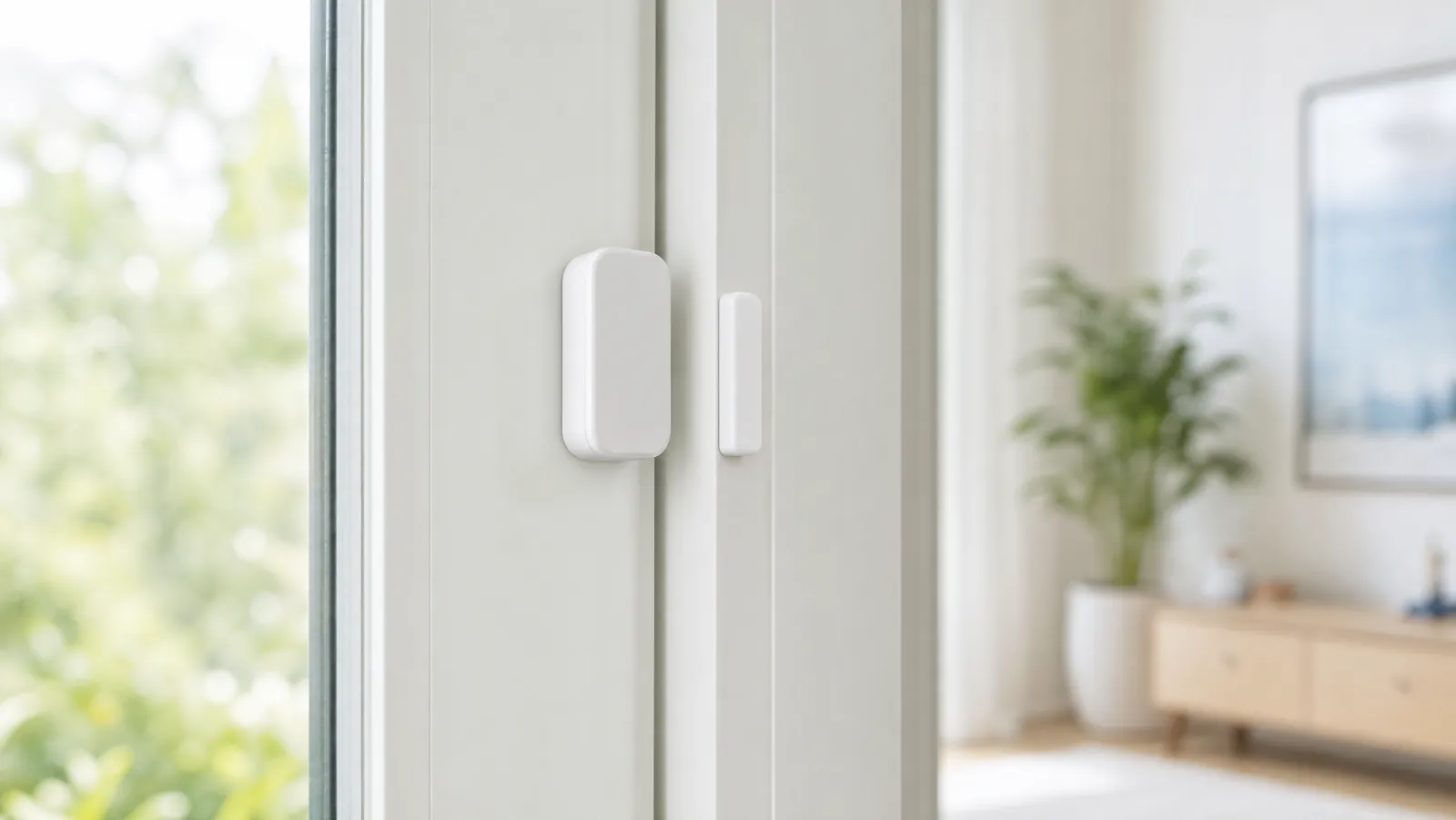
Almost every door and window sensor is a two-piece magnetic contact sensor. One piece is the sensor body, the other is a small magnet, and they're mounted right next to each other — one on the door or window, one on the frame. While the two halves sit together, the circuit reads "closed." The moment the door or window opens and the magnet pulls away, the circuit breaks and the sensor reports "open."
What happens next depends on the sensor. A standalone alarm sounds a siren on the spot. A connected sensor sends that open signal to a hub or directly to an app, which can trigger an alarm, push a notification to your phone, turn on lights, or all three. Because there are no moving parts beyond a magnet, contact sensors are reliable, sip battery power, and often last a year or more on a single cell.
Standalone alarms vs. hub-connected sensors
The biggest decision you'll make is whether you want a self-contained alarm or a sensor that's part of a larger system.
Standalone alarms like the TECKNET are the simplest option. They mount on the door or window, sound their own siren when triggered, and need no app, hub, or subscription. They're perfect for a rental, a single problem window, a garage, or keeping kids away from an exit. The trade-off is that they don't talk to your phone or other devices — the alert lives in the room where the alarm is.
Hub-connected sensors like the SimpliSafe and Ring contact sensors report to a base station or app. That unlocks phone alerts from anywhere, integration with cameras and smart locks, and the ability to arm and disarm your whole home at once. They cost a bit more and tie you to an ecosystem, but they're the right call if you want true smart-home security. Pair them with your cameras — see our hands-on look at outdoor security cameras — for layered coverage.
Where to place your sensors
Placement is what turns a box of sensors into real protection. Start with the entry points an intruder is most likely to use:
- Every exterior door — front, back, side, and the door from an attached garage into the house.
- Ground-floor and basement windows — especially ones hidden from the street by fences or landscaping.
- Sliding patio and balcony doors — a favorite weak point, and easy to cover with a contact sensor on the moving panel.
Mount the sensor body and its magnet so the two halves sit close together when the door or window is shut — most kits include a small gap tolerance, but closer is more reliable. Use the included adhesive for renters or quick installs, and keep the magnet on the moving part and the sensor on the frame. Skip windows that are painted shut or never opened; spend those sensors on the openings that actually move.
How to choose the right door and window sensors
Once you know where your sensors are going, weigh these factors:
- System or standalone: Decide first whether you want app alerts and integration (go hub-connected) or a simple, self-contained siren (go standalone). This shapes every other choice.
- Ecosystem fit: If you already own Ring or SimpliSafe gear — or use Alexa — buy sensors that match so everything lives in one app.
- Coverage and count: Tally your doors and windows before buying. Multi-packs and larger kits almost always beat buying sensors one at a time.
- Power and maintenance: Most contact sensors run on a coin or AAA cell for a year or more. Look for a low-battery alert so you're never caught off guard.
- Expandability: Pick a system you can grow. Starting with a small kit and adding sensors later is far easier than switching ecosystems.
Frequently asked questions
Do door and window sensors need Wi-Fi? Standalone alarms don't need anything — they sound on their own. Hub-connected sensors usually talk to a base station over their own radio, and the base station uses your Wi-Fi (or a cellular backup) to send alerts to your phone.
How long do the batteries last? It varies by model, but most contact sensors run a year or more on a single battery because they only draw power when the door or window changes state. Choose one that warns you when the battery runs low.
Can I use these in a rental? Yes. The sensors here mount with adhesive, leave no holes, and peel off cleanly, which makes them ideal for apartments and rentals where you can't drill into the frame.
Best Overall Contact Sensor
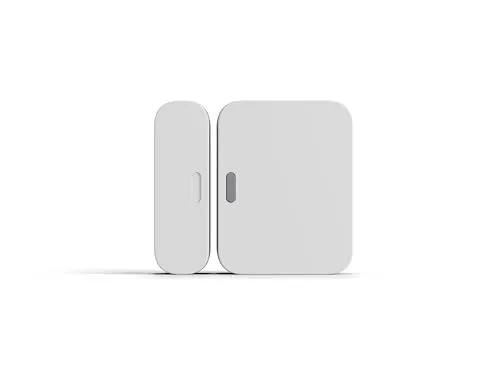
A slim two-piece contact sensor that sticks onto any door or window in seconds with no tools or wiring.
A slim two-piece contact sensor that sticks onto any door or window in seconds with no tools or wiring. When the magnet separates, it instantly tells your SimpliSafe system a door or window has opened, triggering an alert or alarm. It's our top pick because it's effortless to install, easy to reposition, and pairs cleanly with the rest of the SimpliSafe ecosystem. Note that it requires a SimpliSafe base station/system to function and is not a standalone alarm.
Owners love how quickly it mounts and how dependable the open/close alerts are, even on oddly shaped windows.
Best Multi Pack Value
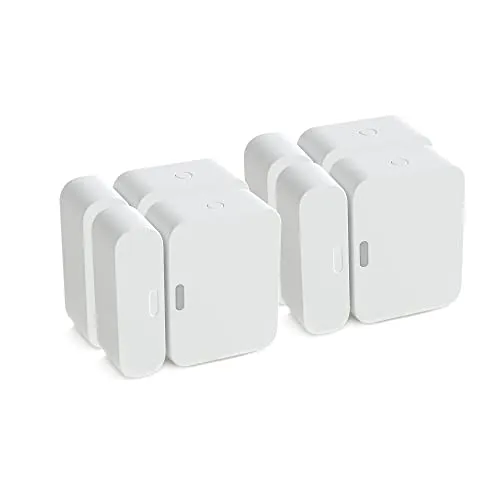
The same trusted SimpliSafe entry sensor bundled four to a box, so you can cover the front door, back door, and a couple of ground-floor windows in one purchase.
The same trusted SimpliSafe entry sensor bundled four to a box, so you can cover the front door, back door, and a couple of ground-floor windows in one purchase. This is a certified refurbished (Renewed) multipack, which is what makes it the best per-sensor value here while still carrying Amazon's Renewed guarantee. Like the single sensor, these require a SimpliSafe base station/system to work and are not standalone alarms.
A certified-refurbished four-pack that drops the per-sensor price while still covering a typical home's main entry points.
Best Standalone Alarm
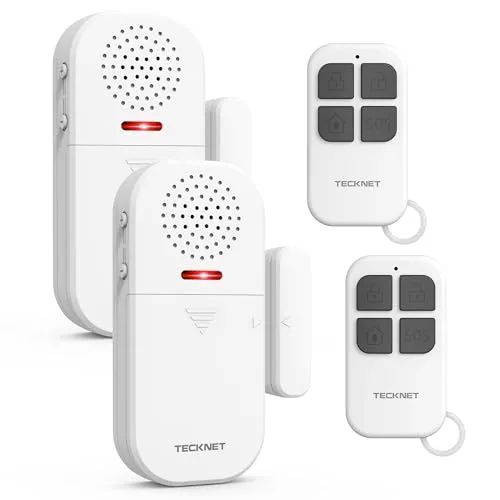
A fully standalone door and window alarm that needs no hub, subscription, or app.
A fully standalone door and window alarm that needs no hub, subscription, or app. When the door or window opens, it sounds a loud, adjustable alert and flashes an LED, and the included remote lets you arm and disarm it from across the room. The multiple modes make it equally handy for security, for keeping kids away from exits, or as a simple chime.
Reviewers highlight the genuinely loud siren, the adjustable volume, and how easy it is to set up without any smart-home gear.
Best Starter System with Sensors
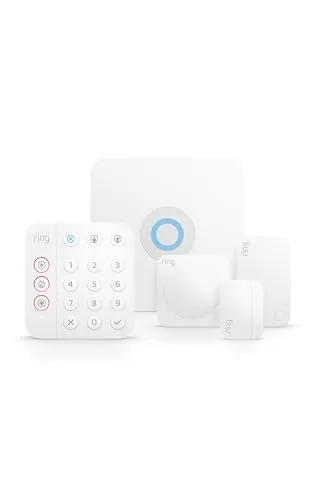
If you want contact sensors plus the system that ties them together, this kit bundles a base station, keypad, motion detector, and contact sensors in one box.
If you want contact sensors plus the system that ties them together, this kit bundles a base station, keypad, motion detector, and contact sensors in one box. The door/window sensors talk to the Ring app so you get phone alerts the moment an entry point opens, and it's Alexa compatible and easy to expand later. The simplest way to go from a single sensor to a real system.
Customers call setup refreshingly painless and like that the sensors integrate with cameras and doorbells already in the Ring app.
Best for Larger Homes
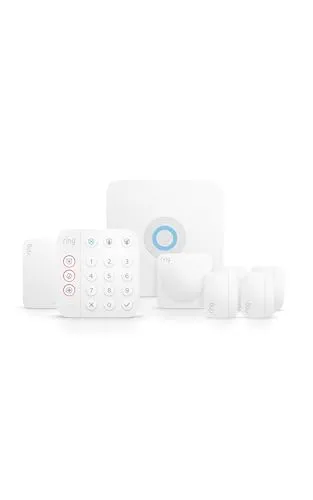
An expanded Ring kit with extra contact sensors so you can protect more doors and windows right out of the box, ideal for larger homes or anyone who wants coverage on day one.
An expanded Ring kit with extra contact sensors so you can protect more doors and windows right out of the box, ideal for larger homes or anyone who wants coverage on day one. Every sensor reports to the Ring app for instant open/close alerts, and optional professional monitoring is there if you ever want a 24/7 response. Plenty of room to grow as you add devices.
Reviewers with bigger homes say the extra sensors mean fewer add-on purchases and praise how everything lives in a single app.
Review of Our Favorite 3
About the Author
Ilana Nevin
Ilana Nevin is a content creator and marketing professional who is passionate about new technology, home automation and the smart home revolution. She has been blogging about these topics for over five years and is excited to see how the industry continues to evolve.