Best Smart Home Security Devices for Beginners

This post may contain affiliate links. Read our policy
Building a smart home security setup for the first time can feel intimidating, but it does not have to be. You do not need a contract, a professional installer, or a wall of monitors. A handful of well-chosen, self-installed devices can give you live video, instant phone alerts, and real peace of mind in a single weekend. This guide walks through the most beginner-friendly devices, how to install them, and the simple routine that ties them together. If you want the bigger picture first, start with our complete smart home security guide.
Where to start as a beginner
The single best place to begin is your front door, because it is the entry point you use most and the one intruders test first. A video doorbell covers that door, deters package thieves, and gives you a daily reason to open the app, which is how good security habits form.
From there, think in layers rather than gadgets. Cameras are your eyes, entry sensors are your early warning, and a smart power strip adds the appearance that someone is always home. You do not need all of it on day one. Pick one device, get comfortable with the app, and add the next piece when you are ready. Starting small is the surest way to actually finish the project instead of leaving a box unopened on a shelf.
One decision worth making early is your ecosystem. If you already say "Alexa" or "Hey Google" around the house, lean toward devices that work with that assistant so everything lives in one app. Beginners who choose an ecosystem first avoid a drawer full of devices that refuse to talk to each other.
The easiest devices to install
The good news is that the most useful beginner devices are also the simplest to set up. None of the picks above require an electrician.
- Video doorbell — A battery model mounts with a couple of screws and connects to your Wi-Fi through the app. No wiring, no fuse box.
- Battery camera — Charge it, mount the bracket, and stick the camera on. You can reposition it any time without tools.
- Indoor camera — Plug it in, scan a code, and you are watching live in minutes.
- Entry sensors — Peel the adhesive backing and press them onto a door or window frame. That is the entire install.
- Smart power strip — Plug a lamp into it, plug it into the wall, and connect it in the app.
If you can hang a picture frame and download an app, you can install every device on this list. Set aside an afternoon, charge anything with a battery the night before, and confirm your phone is on the 2.4GHz Wi-Fi band most of these devices prefer.
Building a simple security routine
Hardware is only half the job. A few small habits make your new devices far more effective.
Start by turning on motion alerts for your doorbell and outdoor camera, but tune the sensitivity so you are not buzzed every time a car passes. Most apps let you draw activity zones; point them at your walkway and door, not the street. The goal is alerts you actually trust.
Next, use your smart power strip to fake an occupied home. Schedule a living-room lamp to switch on around dusk and off at bedtime, and the house looks lived-in even when you are away for the evening or the weekend. Finally, get in the habit of a quick nightly check: glance at your cameras and confirm your entry sensors show every door closed before bed. It takes ten seconds and turns a pile of devices into a genuine system.
As your confidence grows, expand outward. Adding a couple of dedicated outdoor security cameras is the natural next step once your entry points are covered.
Common beginner mistakes to avoid
A few simple missteps trip up most newcomers, and all of them are easy to dodge.
The biggest is buying devices from different ecosystems that will not work together. Decide on Alexa, Google Home, or Apple HomeKit first, then buy to match. The second is mounting cameras too high or aimed at the horizon, which gives you sweeping but useless footage. Aim cameras down at the area you care about, roughly head height, so faces and packages are clear.
Other common slips include forgetting to charge battery devices before install, skipping the motion-zone settings and then drowning in false alerts, and ignoring storage. Decide early whether you are comfortable with a cloud subscription or prefer local storage on an SD card. Finally, do not over-buy on day one. Two or three devices you understand beat a closet of gear you never set up.
Frequently asked questions
Do I need a subscription to use these devices? Not always. Most of these devices send free motion alerts and offer live view at no cost. A subscription typically unlocks recorded video history and cloud backup, which is nice to have but optional for a basic setup.
Can I really install everything myself? Yes. Every device recommended here is designed for DIY install with adhesive or a couple of screws. The only time you might want help is with a hardwired doorbell, and even then the battery models above skip that entirely.
How much should a beginner spend to get started? You can build a meaningful setup for well under $200. A video doorbell plus one camera covers the essentials; add entry sensors and a smart power strip as your budget allows. Start with the highest-impact device and grow from there.
Best First Device
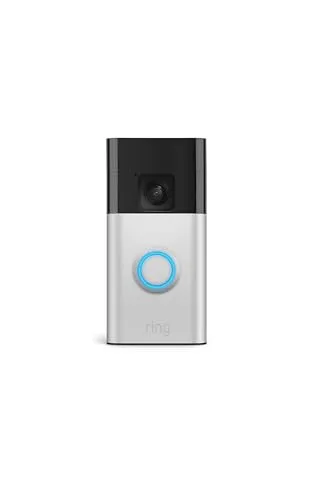
If you only buy one device, make it this one.
If you only buy one device, make it this one. A video doorbell covers the entry point you use most, lets you see and speak to anyone at your door from your phone, and helps deter package theft. The battery design means no wiring and no electrician, so most beginners have it up and running the same afternoon.
Two-way talk, head-to-toe video, and tool-free battery install make it the easiest high-impact upgrade for a first-time buyer.
Easiest Camera
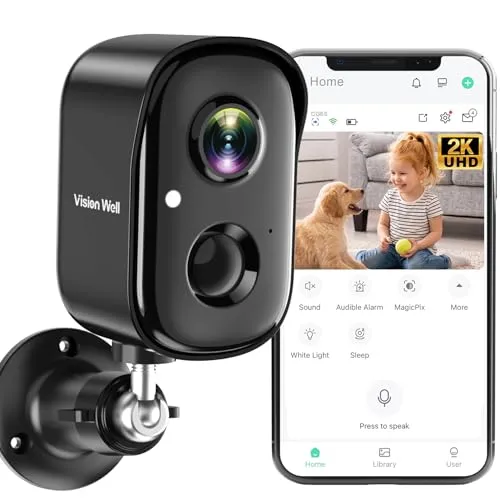
A wire-free, battery-powered camera you can mount almost anywhere in minutes.
A wire-free, battery-powered camera you can mount almost anywhere in minutes. It sends motion alerts to your phone, offers color night vision, and includes two-way talk plus a spotlight and siren to scare off visitors you would rather not see. It is an affordable way to add eyes to a side yard or driveway without committing to a full system.
Battery power and a stick-anywhere mount let beginners place it where they need it, with night vision and alerts that just work.
Best Indoor Pick
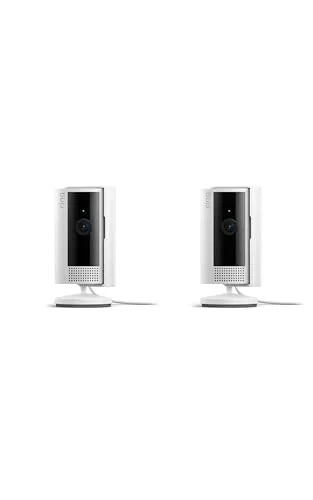
A compact two-pack that lets you keep an eye on the inside of your home, whether that is the front hall, a nursery, or a pet area.
A compact two-pack that lets you keep an eye on the inside of your home, whether that is the front hall, a nursery, or a pet area. Setup is plug-in-and-go through the same app many beginners already use for their doorbell, and live view plus alerts mean you can check in from anywhere. Buying two at once is the simplest way to cover more than one room.
An affordable two-pack with simple plug-in setup and clear 1080p live view that covers two rooms out of the box.
Best Entry Sensors
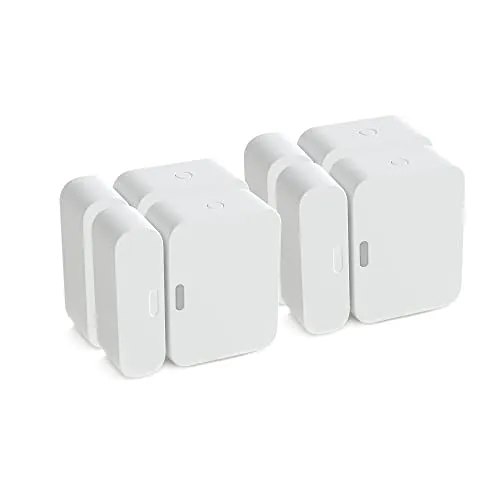
Cameras show you what already happened; entry sensors warn you the moment a door or window opens.
Cameras show you what already happened; entry sensors warn you the moment a door or window opens. This four-pack peels and sticks in place with no tools, so a beginner can cover the front door, back door, and a couple of ground-floor windows in an afternoon. It comes as a certified refurbished (Renewed) multipack, which keeps the price down while still backed by Amazon's Renewed guarantee. Note that these sensors require a SimpliSafe base station/system to work; they are not standalone alarms.
A budget-friendly certified-refurbished four-pack that lets newcomers cover every main entry point at once.
Best Automation Add On
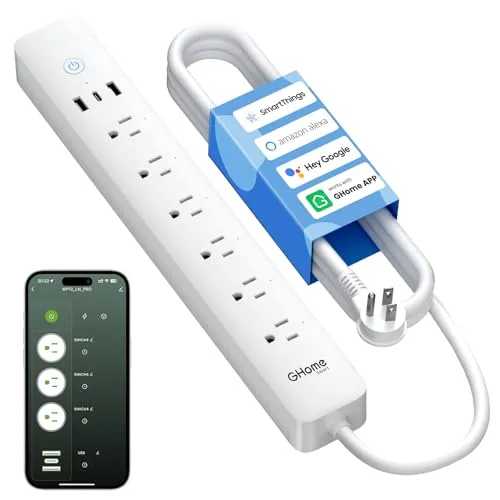
A smart power strip is the secret weapon of a beginner security setup.
A smart power strip is the secret weapon of a beginner security setup. Schedule lamps to switch on and off while you are away so the house looks lived-in, or trigger lights by voice through Alexa or Google Home. With six individually controlled outlets, you can automate several lamps from one affordable device and add a real layer of deterrence.
Six independently controlled outlets and voice control make it a cheap, beginner-friendly way to fake an occupied home.
Review of Our Favorite 3
About the Author
Ilana Nevin
Ilana Nevin is a content creator and marketing professional who is passionate about new technology, home automation and the smart home revolution. She has been blogging about these topics for over five years and is excited to see how the industry continues to evolve.