Smart Home Security on a Budget: Cheap Setups That Work

This post may contain affiliate links. Read our policy
You do not need to spend a fortune to keep your home safe. A few well-chosen, self-installed devices can give you live video, motion alerts, and real deterrence for less than what one fancy camera used to cost. This guide shows you how to build a smart home security setup that actually works on a budget — what to buy first, where to skip the monthly fees, and how to spend every dollar where it counts. For the full picture on layering devices together, our complete smart home security guide breaks down the whole system from cameras to locks.
How to secure a home cheaply
The secret to budget security is simple: cover your highest-risk spots first and ignore the rest until later. Most break-ins happen at the front door, the back door, and ground-floor windows, so that is where your money should go. A single indoor camera pointed at the main entry, plus a couple of door and window alarms, already covers the most common entry points for under thirty dollars.
Start small and build out. One camera and two sensors is a real security setup, not a placeholder. The picks above are ordered with this in mind — the first camera is your foundation, and everything after it fills a specific gap. You do not need a matched, all-in-one kit to be protected.
No-subscription options that save you money
The hidden cost of cheap cameras is the monthly cloud fee that often comes with them. Those fees add up fast — pay ten dollars a month and your bargain camera costs more in a year than the hardware did. The way around it is local storage.
Cameras that record to an SD card, like the pan-and-tilt pick above, keep your footage on a card in the device instead of on a company's servers. There is no recurring charge, your video stays private, and you still get motion alerts pushed to your phone. For a budget setup, prioritize cameras that mention local or SD-card storage and treat any subscription as optional, not required.
The same logic applies to alarms. A standalone door or window alarm needs no hub, no app, and no account — it just sounds when triggered. That is zero ongoing cost for a genuine layer of protection. Pairing local-storage cameras with standalone alarms gives you a system with no monthly bill at all.
What to prioritize on a budget
When every dollar matters, spend in this order:
- Your main entry point first. One camera covering the front door earns its keep faster than anything else.
- Local storage over fancy features. A simple camera you actually own footage from beats a flashy one that holds your video hostage behind a fee.
- Loud, simple alarms for the gaps. Cheap door and window alarms cover the spots a camera cannot see, like a side door or a garage.
- Night vision and motion alerts. These are the two features worth checking for — almost every budget camera includes them, so there is no reason to settle for one that does not.
Resist the urge to buy a smart lock or a video doorbell on day one if money is tight. Those are excellent upgrades, but a camera and a few sensors deliver more protection per dollar. When you are ready to add a doorbell, our guide to video doorbells walks through the most affordable options.
DIY installation tips
Every device here installs in minutes with no tools and no electrician. Plug-in cameras simply need an outlet and your WiFi password — the app walks you through pairing. Place them high, pointed at a door or a walkway, and avoid aiming straight at a bright window, which washes out the picture.
Door and window alarms are even easier: peel the backing, stick the two halves on the frame and the moving part so they line up, and you are done. Test each one by opening the door before you trust it. For cameras with SD cards, buy a card up front so you are recording from the moment it is online.
One budget tip that saves real money: most of these cameras run on 2.4GHz WiFi, which reaches farther through walls than 5GHz. If a far-corner camera keeps dropping, move it to your 2.4GHz network before buying a WiFi extender you may not need.
Frequently asked questions
Can a cheap setup really protect my home? Yes. A camera on your main entry plus a couple of door and window alarms covers the spots where most break-ins happen. Visible cameras and loud alarms deter opportunists, and motion alerts put eyes on your home from anywhere — which is most of what an expensive system does, at a fraction of the price.
How do I avoid monthly fees? Choose cameras that record to a local SD card instead of cloud-only models, and use standalone door and window alarms that need no account. That combination gives you a working system with no recurring bill. Treat any subscription offer as optional.
Do budget cameras work without WiFi? Most of these need WiFi to send alerts and stream video to your phone, but they can still record to a local SD card if your internet drops. If you need a truly offline option, look specifically for a camera labeled as supporting local recording without a connection.
Best Budget Camera
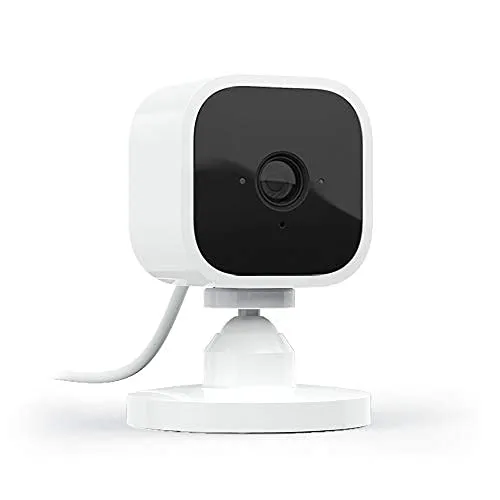
A plug-in indoor camera that gives you 1080p HD video, night vision, motion alerts, and two-way audio for the price of a takeout lunch.
A plug-in indoor camera that gives you 1080p HD video, night vision, motion alerts, and two-way audio for the price of a takeout lunch. It sets up in minutes through the app and works with Alexa, so it is the easiest way to put a real camera on a tight budget. Drop one in your entryway or living room and you instantly have eyes on the room from your phone.
Tiny, dirt-cheap, and shockingly capable — clear HD video, night vision, and two-way audio make it the obvious first camera for a budget setup.
Best No Subscription Pick
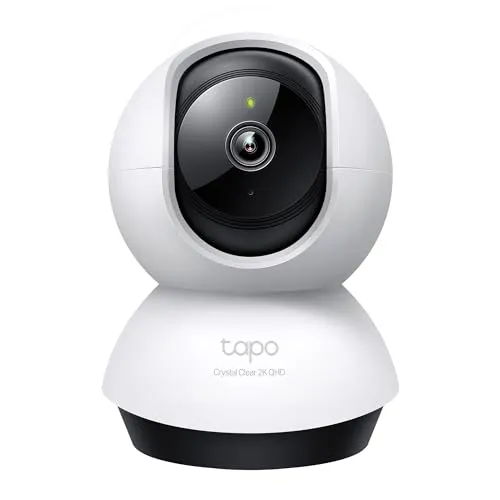
This pan-and-tilt camera swivels to cover a whole room from one spot, with sharp 2K QHD video, color night vision, motion detection and tracking, and two-way audio so you can see and speak from your phone.
This pan-and-tilt camera swivels to cover a whole room from one spot, with sharp 2K QHD video, color night vision, motion detection and tracking, and two-way audio so you can see and speak from your phone. It records to a microSD card, no monthly fee required, so you keep your own footage instead of renting cloud storage. From a trusted name like TP-Link, it works with Alexa and Google Home and is the pick for anyone who wants real coverage with no subscription.
Smooth pan-and-tilt coverage, crisp 2K video, and local microSD recording from a name you trust make this the no-fee camera to beat.
Best Indoor Outdoor Camera
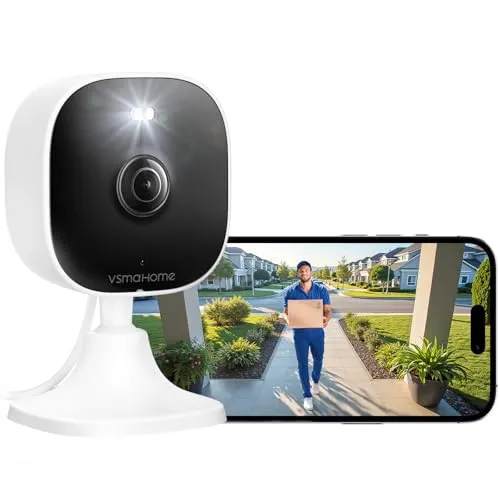
One camera that handles a porch, a driveway, or a nursery thanks to a sharp 4MP sensor, audio, and night vision.
One camera that handles a porch, a driveway, or a nursery thanks to a sharp 4MP sensor, audio, and night vision. It connects to both 2.4G and 5G WiFi and records to a local card, so you can cover an outdoor entry point or an indoor room with the same affordable unit. It is the most flexible camera here for filling in the gaps around your home.
A single low-cost camera that works indoors or out, with a high-res 4MP sensor and local storage so you are not locked into a plan.
Cheapest Door Window Alert
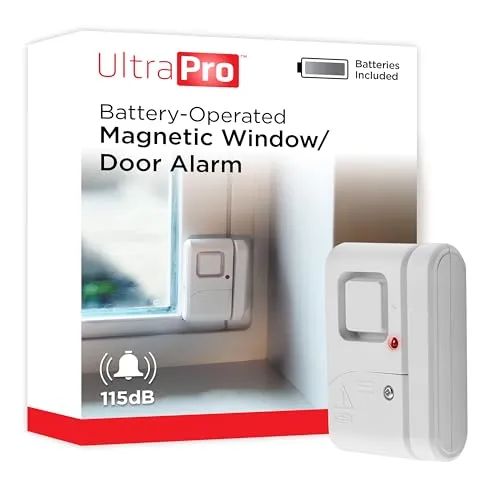
For a few dollars this peel-and-stick alarm sounds a loud chime the moment a door or window opens — no hub, no wiring, no account required.
For a few dollars this peel-and-stick alarm sounds a loud chime the moment a door or window opens — no hub, no wiring, no account required. It is the fastest way to add a layer of deterrence to entry points a camera cannot watch, like a back door or a garage. Buy a handful and cover every vulnerable opening for less than the cost of one camera.
Stick it on, and any opened door or window triggers a loud alert — the simplest, cheapest deterrent you can add to a home.
Best for Pet Room Monitoring
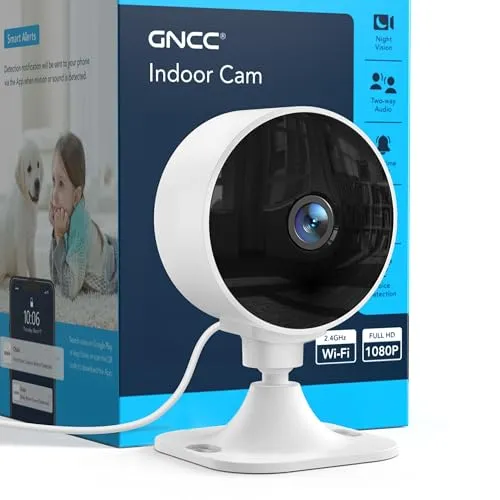
A no-frills 1080p indoor camera with motion detection, infrared night vision, and two-way audio that is easy to install and easy on the wallet.
A no-frills 1080p indoor camera with motion detection, infrared night vision, and two-way audio that is easy to install and easy on the wallet. It is a great second camera to keep an eye on pets, a back room, or a hallway once your main entry points are covered. At this price you can add a couple without rethinking your budget.
An affordable, easy-to-install indoor camera that makes a perfect second or third unit for covering pets, hallways, and back rooms.
Review of Our Favorite 3
About the Author
Ilana Nevin
Ilana Nevin is a content creator and marketing professional who is passionate about new technology, home automation and the smart home revolution. She has been blogging about these topics for over five years and is excited to see how the industry continues to evolve.